The AI video generation space has exploded in 2026, with new models launching every month. But keeping up with every model — and paying for a dozen separate subscriptions — is exhausting. That's where **Krea** stands out: it bundles the industry's best AI video models into a single, clean workspace, letting you generate, compare, and refine clips side by side.
In this guide, we break down everything Krea's AI Video Generator offers: the models, the creative controls, the pricing, and whether it's worth adding to your workflow. Whether you're a filmmaker, marketer, or content creator, Krea might be the only AI video subscription you need.
Before we dive in, explore our AI Tools directory for more video generation tools, browse our text-to-video prompts and image-to-video prompts for ready-to-use prompts, and check out the Krea AI Video Generation workflow for a step-by-step guide.
What Is Krea?
Krea is an all-in-one AI creative platform that combines image generation, video generation, 3D, lipsync, and real-time canvas tools in a single interface. Trusted by over **30 million creators** from 191 countries, Krea has built a reputation for having one of the cleanest, most intuitive interfaces in the AI tool space.
What makes Krea unique is its **model-agnostic approach**. Instead of locking you into one proprietary model, Krea aggregates the best models from across the industry — Google's Veo, OpenAI's Sora, ByteDance's Seedance, Kuaishou's Kling, Alibaba's Wan, Runway, and MiniMax — all under one subscription. You run the same prompt across multiple models, compare outputs side by side, and pick the best result for your project.
Core Features of Krea's AI Video Generator
1. Text to Video
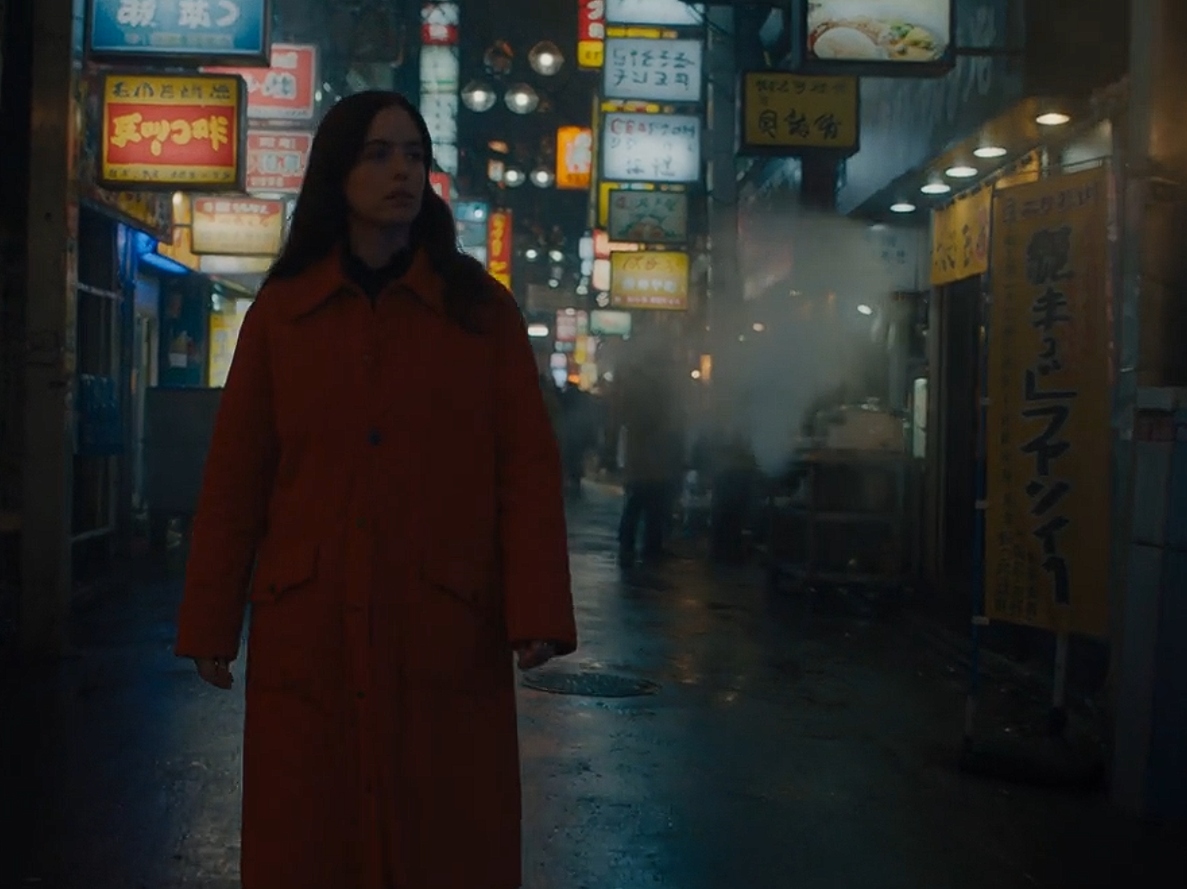
Transform any text prompt into high-quality video content in seconds. Simply describe the subject, action, setting, camera movement, and lighting, and watch your ideas come to life with cinematic realism. Krea's interface makes it easy to iterate — tweak your prompt, change the model, and regenerate until you get the shot you want.
2. Image to Video with Frame Control
Animate a still image, or set **first and last frames** to guide how the shot begins, moves, and resolves. This is a game-changer for filmmakers who want precise control over their shots. Upload a generated image or a photo, describe the motion, and Krea animates it. For even more control, set both a start frame and an end frame, and the model generates the transition between them.
3. Extend and Merge
Build longer scenes by **extending** existing clips — trim your video, then let AI continue from the final frame. **Merge** clips by generating a video that transitions between two shots. This workflow is essential for creating longer edits without losing visual continuity. The cover image above shows exactly how this works: extend a clip by 5 seconds, or merge two clips into a continuous shot.
4. Native Audio Generation
Bring your videos to life with **synchronized audio**. Veo 3.1 and other supported models generate contextual sound effects, ambient noise, and dialogue to match your scenes. No more silent videos — your AI-generated clips come with sound that matches the action on screen.
5. Parallel Generation
Start **multiple video generations at once**. Try different prompts, settings, and AI models all at the same time to explore more creative possibilities in less time. This is especially useful when comparing models — run the same prompt on Veo, Sora, Kling, and Runway simultaneously, then pick the best output.
AI Video Models Available on Krea
Krea currently offers **7+ leading video models** in its Video Tool, with new models added frequently — often the same day they're announced. Here's how the major models compare:
| Model | Developer | Strengths | Audio | Max Duration |
|---|---|---|---|---|
| Seedance 2.5 | ByteDance | Cinematic realism, natural motion, long clips | Yes (native sync) | 6s+ |
| Veo 3.1 | Best audio generation, realistic human motion | Yes (best-in-class) | 8s | |
| Sora 2 | OpenAI | Physical realism, complex scene understanding | Yes | Variable |
| Kling 3.0 | Kuaishou | Fast generation, Chinese aesthetics, motion quality | Yes | Variable |
| Wan 2.6 | Alibaba | Open-source model, good motion consistency | Limited | Variable |
| Runway Gen-4.5 | Runway | Mature tooling, professional post-production | Yes | Variable |
| MiniMax H3 | MiniMax | Fast, efficient, good for social content | Limited | Variable |
**Pro Tip:** The "best" model depends on your specific shot. For cinematic realism and natural human motion, Seedance 2.5 and Veo 3.1 lead. For physical realism and complex scenes, Sora 2 excels. Run the same prompt across 2-3 models and compare — Krea makes this trivial.
How to Create AI Video with Krea
Getting started with Krea's AI Video Generator takes just four steps:
Step 1: Open Krea AI Video
Go to the Video Tool, pick a model from the dropdown, and set your aspect ratio and duration. Krea supports multiple aspect ratios including 16:9 (landscape), 9:16 (portrait for social media), 1:1 (square), and more.
Step 2: Write a Focused Prompt
Describe the subject, action, setting, camera movement, and lighting. You can also upload an image reference to guide the style and composition. A good prompt includes: subject + action + setting + camera angle + movement + lighting + mood + lens style. For inspiration, browse our text-to-video prompts library.
Step 3: Generate and Compare Model Outputs
Test the same prompt on Veo 3.1, Sora 2, Kling, and Runway to pick the best version. Krea's parallel generation lets you run all models simultaneously, so you don't have to wait for one to finish before starting the next.
Step 4: Extend and Refine Your Scene
Use clip extension and merging workflows to build longer edits, keep visual continuity, and ship a polished final video faster. Extend a clip by generating more footage from the final frame, or merge two clips with an AI-generated transition.
Pricing Plans
Krea offers a range of plans from free to enterprise. All paid plans include a commercial license.
| Plan | Price | Compute Units | Video Models | Key Features |
|---|---|---|---|---|
| Free | $0/mo | 100/day | Limited | Krea 2, real-time models, no credit card required |
| Basic | $9/mo | 5,000/mo | Selected | All image models, 3D & lipsync, commercial license |
| Pro | $35/mo | 20,000/mo | All video models | App Builder, Nodes Agent, bulk compute discounts |
| Max | $105/mo | 60,000/mo | All video models | Unlimited LoRA training, expanded concurrency |
| Business | $200/mo | 80,000/mo | All | Up to 50 seats, custom roles, team collaboration |
| Enterprise | Custom | Custom | All | SLA support, audit logs, custom TOS, Slack connect |
For most creators, the **Pro plan ($35/mo)** is the sweet spot — it unlocks all video models and includes 20,000 compute units per month. If you're just getting started, the Free tier gives you 100 compute units per day to experiment with basic features.
Use Cases and Workflows
Film & Storytelling
Create cinematic shots, story sequences, concept scenes, and visual experiments from prompts or reference images. Directors and cinematographers use Krea to pre-visualize shots before committing to expensive film shoots.
Marketing & Ads
Turn campaign concepts, product ideas, and creative directions into short-form video assets for testing and production. Generate multiple variations of an ad concept in minutes, test them, and scale the winners.
Content Creation
Create social videos, visual stories, loops, and recurring content from text prompts, images, or existing clips. Content creators can maintain a consistent posting schedule without spending hours on video production.
Product & Ecommerce
Animate product imagery and create video concepts without starting from a traditional shoot. Upload product photos, add motion, and generate dynamic product videos for your store or social media.
For ready-to-use automation templates that pair perfectly with Krea, explore our Workflows directory — including the Krea AI Video Generation workflow with step-by-step instructions. Also check out our text-to-video prompts and image-to-video prompts to get the best results from any model.
What Creators Are Saying
Krea has earned a reputation as one of the most loved AI creative platforms. Here's what verified users are saying:
- **"The only AI subscription I need"** — Sophia M.: "KREA is the only AI subscription I have right now besides ChatGPT."
- **"New models the same day"** — Wirot Ch.: "I'm a Krea Max user. It's crazy how fast they add models. I see a new AI model on Twitter and the same day Krea already offers it."
- **"Best interfaces in the industry"** — Lynn: "Krea's interfaces are still the best in the industry. Everything looks and feels so clean and easy to use!"
- **"The platform that just works"** — FYN: "So many AI tools out there but I always come back to Krea. It's really the one AI platform that 'just works'."
Final Verdict: Is Krea Worth It?
If you're serious about AI video generation, **Krea is one of the best investments you can make**. Here's why:
- **One subscription, all models** — Instead of paying $20-30/mo for Veo, $20-30/mo for Runway, $20/mo for Kling, etc., Krea's Pro plan ($35/mo) gives you access to all of them.
- **Compare before you commit** — Run the same prompt across 5+ models and pick the best output. No more guessing which model is right for your shot.
- **Professional workflow** — Extend, merge, frame control, parallel generation, and native audio give you a complete video production toolkit.
- **Clean, intuitive interface** — Consistently rated as having the best UI in the industry. No learning curve, just create.
- **Free tier available** — Try before you buy with 100 free compute units per day.
The main downside? Krea is a web-based platform, so you'll need a good internet connection. And while the compute unit system is flexible, heavy users may need to purchase additional compute packs. But for most creators, the included units are more than enough.
**Bottom line:** If you're currently paying for multiple AI video services, Krea will almost certainly save you money while giving you more flexibility. Start with the Free tier, upgrade to Pro when you're ready, and never look back.
For more AI tool reviews, tutorials, and curated resources, explore our AI Tools directory, Prompts library, Skills collection, and Workflows. And don't miss our blog for more in-depth guides and industry analysis.
*Last updated: September 2026. Model availability, features, and pricing are subject to change — verify current details on Krea's official website.*