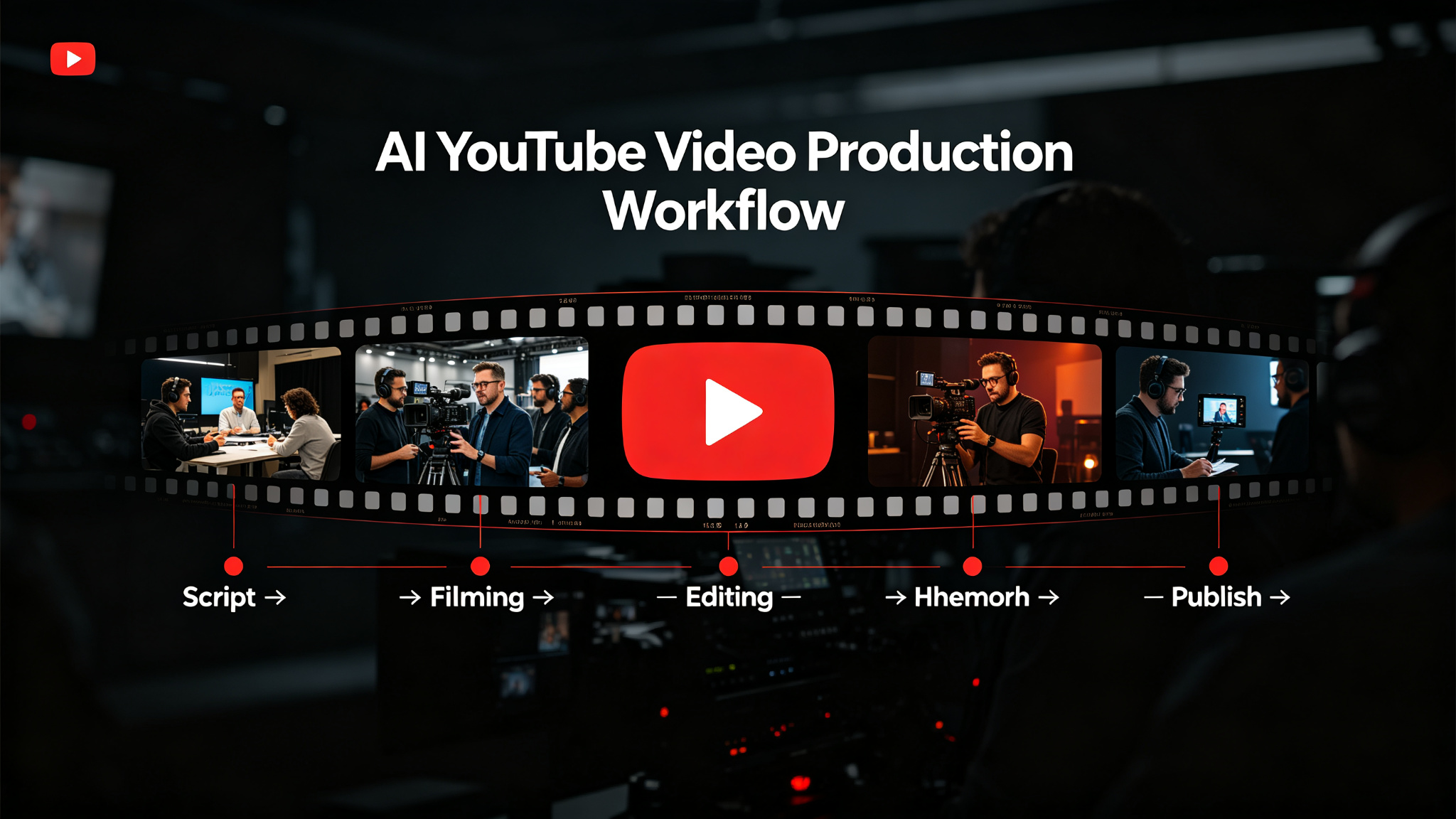
A well-defined YouTube video production workflow is essential for consistent, high-quality results. When you integrate AI into your workflow, you can automate repetitive tasks, generate ideas faster, and produce better output in less time. This guide walks you through a complete AI-powered YouTube video production workflow, from start to finish, with practical steps, recommended tools, and pro tips for success.
Why You Need an AI-Powered Youtube Video Production Workflow
Without a structured workflow, YouTube video production can feel chaotic and inefficient. You might waste time on repetitive tasks, miss important steps, or produce inconsistent quality. An AI-powered workflow solves these problems by:
- Automating repetitive and time-consuming tasks
- Providing structure and consistency to your process
- Generating ideas and first drafts in seconds
- Reducing errors and improving quality
- Freeing you to focus on creative and strategic work
- Enabling you to produce more output in less time
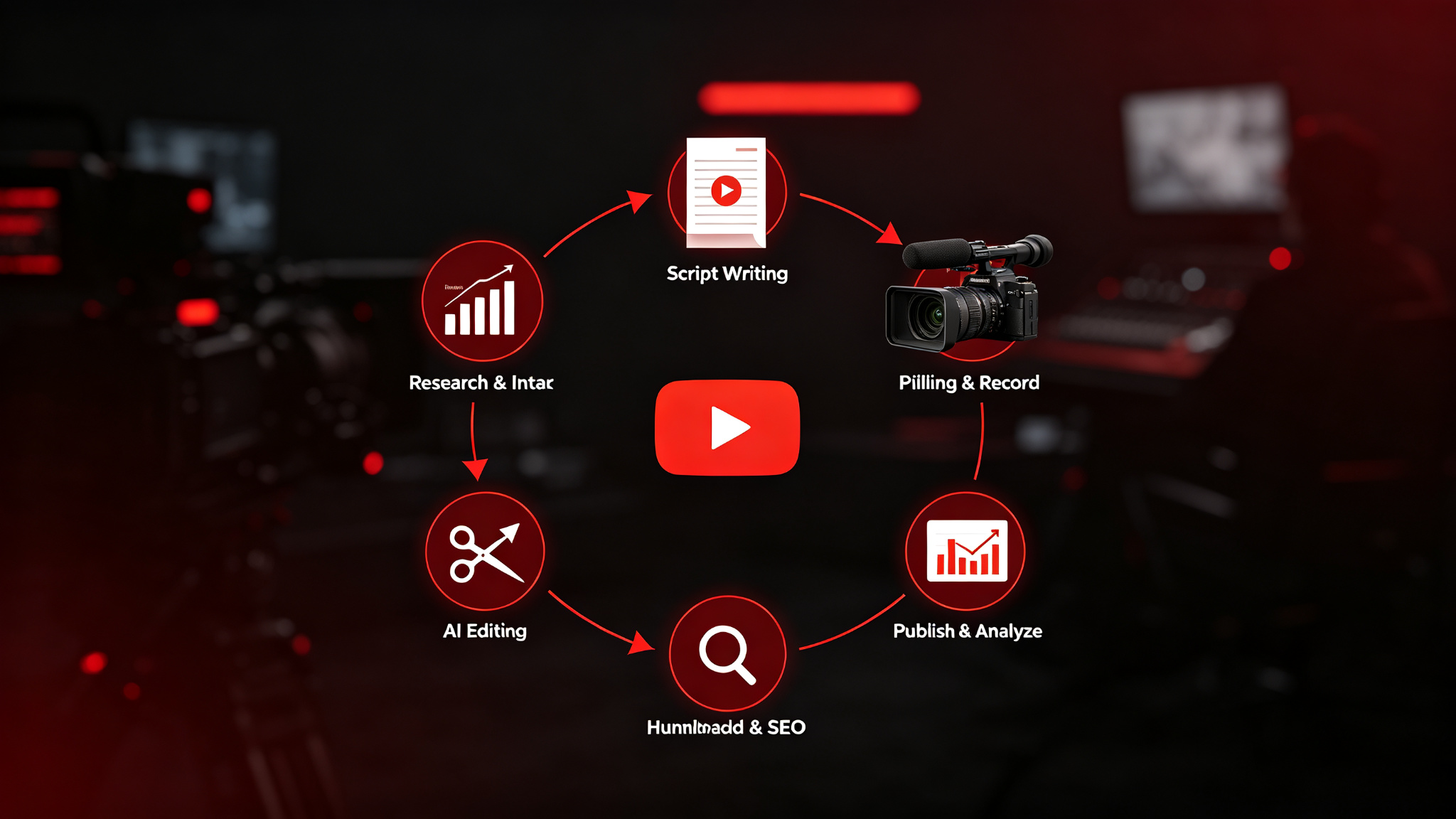
The Complete AI Youtube Video Production Workflow
Step 1: Research and Video Idea Generation
Successful YouTube videos start with great ideas that people want to watch. Use AI to research trending topics, analyze competitor videos, and generate video ideas that have high search and watch potential.
AI usage: Use AI to analyze trending topics in your niche, generate video title ideas, and identify content gaps your competitors haven't covered. Ask AI to suggest video angles that will perform well on YouTube.
- Research trending topics in your niche
- Analyze top-performing competitor videos
- Generate 20-30 video title ideas with AI
- Select the best idea based on demand and your expertise
Step 2: Script Writing and Storyboarding
A well-written script is the foundation of a great video. Use AI to help you write engaging scripts, plan your video structure, and create storyboards that visualize your content.
AI usage: Use AI to write a complete video script with hook, intro, main content, and call to action. Ask AI to suggest visual elements, B-roll ideas, and on-screen text for each section.
- Create a video outline with key sections
- Write an engaging hook for the first 30 seconds
- Use AI to generate the full script
- Plan visuals, B-roll, and on-screen text for each section
Step 3: Filming and Recording
With your script ready, film your video. AI can help you prepare by generating teleprompter scripts, suggesting camera settings, and even generating voiceovers if you don't want to use your own voice.
AI usage: Use AI text-to-speech tools to generate professional voiceovers. Use AI to create a teleprompter script from your video script. Ask AI for camera and lighting setup suggestions.
- Set up your camera, lighting, and audio equipment
- Use a teleprompter or memorize your script
- Film multiple takes for each section
- Record voiceover if using AI text-to-speech
Step 4: AI Editing and Post-Production
Editing is often the most time-consuming part of video production. AI editing tools can dramatically speed up this process by automatically cutting, captioning, and enhancing your footage.
AI usage: Use AI video editors to automatically remove silences, cut between takes, and add transitions. Use AI tools to generate captions, enhance audio, and even generate B-roll footage.
- Import your footage into your editing software
- Use AI tools to auto-cut and remove mistakes
- Add captions, transitions, and music
- Enhance audio and color grade your footage
Step 5: Thumbnail Design and SEO Optimization
Your thumbnail and title are the most important factors in getting clicks. Use AI to design eye-catching thumbnails and optimize your video metadata for maximum discoverability.
AI usage: Use AI image generation tools to create thumbnail concepts and backgrounds. Use AI to generate optimized titles, descriptions, tags, and chapters for your video.
- Design an eye-catching thumbnail with clear text
- Write a compelling, SEO-optimized title
- Create a detailed description with timestamps
- Add relevant tags and create video chapters
Step 6: Publish, Promote, and Analyze
Publish your video and promote it across your channels. Use AI to analyze performance, generate engagement responses, and identify opportunities for improvement.
AI usage: Use AI to generate social media posts promoting your video, create email newsletter announcements, and analyze your video performance data to identify what worked and what to improve.
- Publish your video at the optimal time
- Promote on social media and email
- Engage with comments in the first 24 hours
- Analyze performance and identify improvements
Recommended AI Tools
Here are the best AI tools for each stage of your YouTube video production workflow:
- **Research**: YouTube Analytics, Google Trends, VidIQ for topic research
- **Scripting**: ChatGPT, Claude, Jasper for script writing
- **Voiceover**: ElevenLabs, Murf AI, Play.ht for AI voiceovers
- **Editing**: Descript, Runway, CapCut for AI-powered editing
- **Thumbnails**: Midjourney, DALL-E, Canva AI for thumbnail design
- **SEO**: VidIQ, TubeBuddy for video optimization and analytics
Pro Tips for Success
- Spend extra time on your hook — the first 30 seconds determine retention
- Use AI to generate multiple title variations and pick the best one
- Create thumbnails with high contrast and clear, readable text
- Batch film multiple videos in one session for efficiency
- Use AI captions — they improve accessibility and watch time
- Repurpose your videos into shorts, clips, and blog posts
- Analyze audience retention to identify where viewers drop off
Final Thoughts
An AI-powered YouTube video production workflow can dramatically reduce the time it takes to create high-quality videos. By following this six-step workflow — research, scripting, filming, editing, optimization, and promotion — you can streamline your video production and focus on creating valuable content for your audience. AI tools can handle many of the repetitive and time-consuming tasks, from script writing to video editing, freeing you to focus on what matters most: creating great content and connecting with your audience. Start implementing this workflow today and see how much faster you can produce professional-quality YouTube videos.